¥0
Free forever
- Up to 5 students
- All lesson logging, photos, and ratings
- Reminder notifications
- Up to 2 of each custom field
- iCloud sync and CSV / JSON export
Lesson Journal for Tutors
Thirty seconds, right after the lesson.
The history that builds up for each student
transforms your next lesson — and the trust behind it.
iOS 17+iPhone & iPad4 languagesNo ads
By design — the numbers
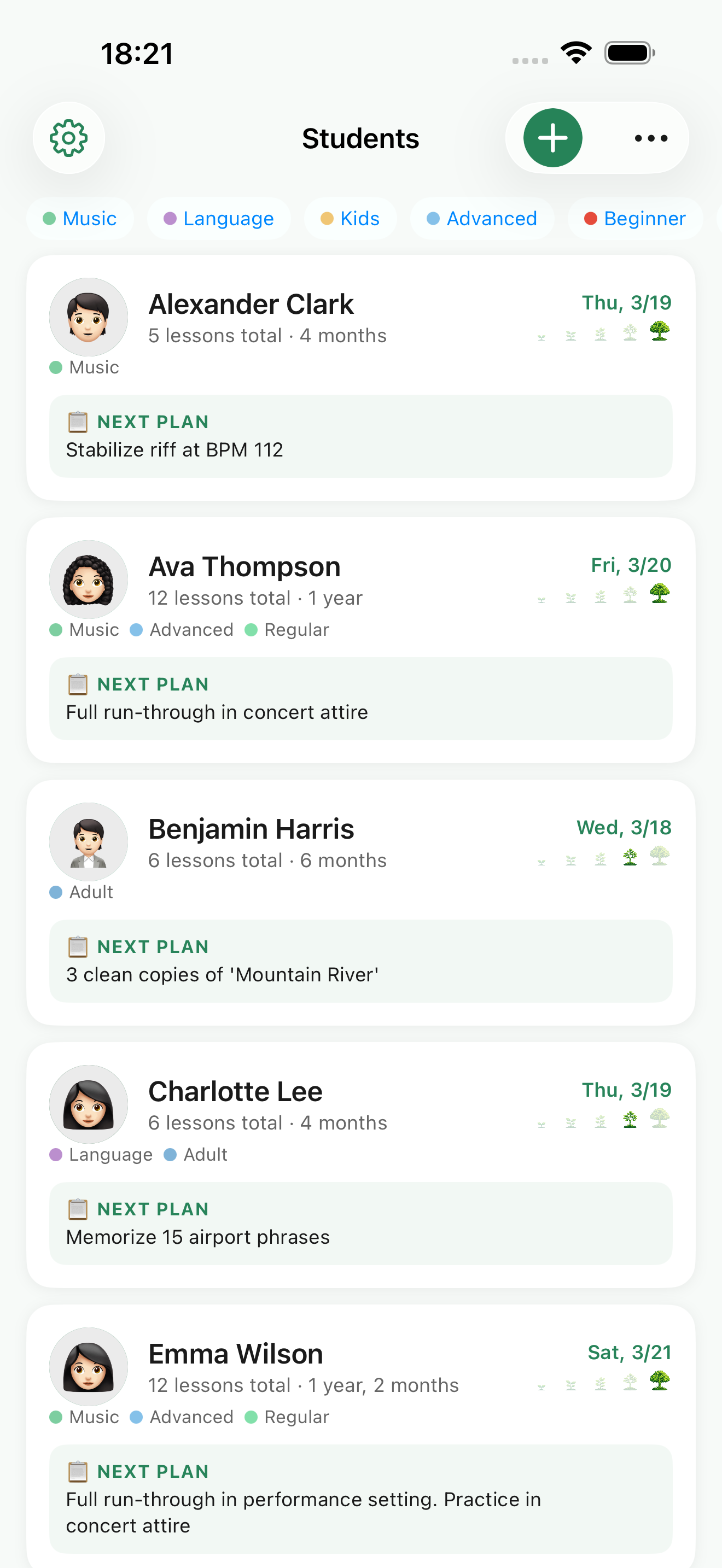
Lesson logOur goal: a quick note, right after
Last-lesson recallBefore the next one begins
Photo attachmentsScores, artwork, whiteboards
Ads & servers of our ownYour data stays on your device and your iCloud
Growth rings — LessonTree's heart
A lesson
fades the moment it ends.
Only the record becomes a ring in the tree.
— LessonTree's core concept
The Problem
“Wait, what did we do last week...”
That blank moment when a student asks and you can't recall.
“Apple Notes just isn't cutting it.”
Once you pass 15 students, the notes start to blur together.
“I forgot to prep for today.”
Scrambling for last week's notes right before the door opens.
“Logging matters... but it's a chore.”
Too drained after a lesson to write it all up neatly.
01 — Right after the lesson
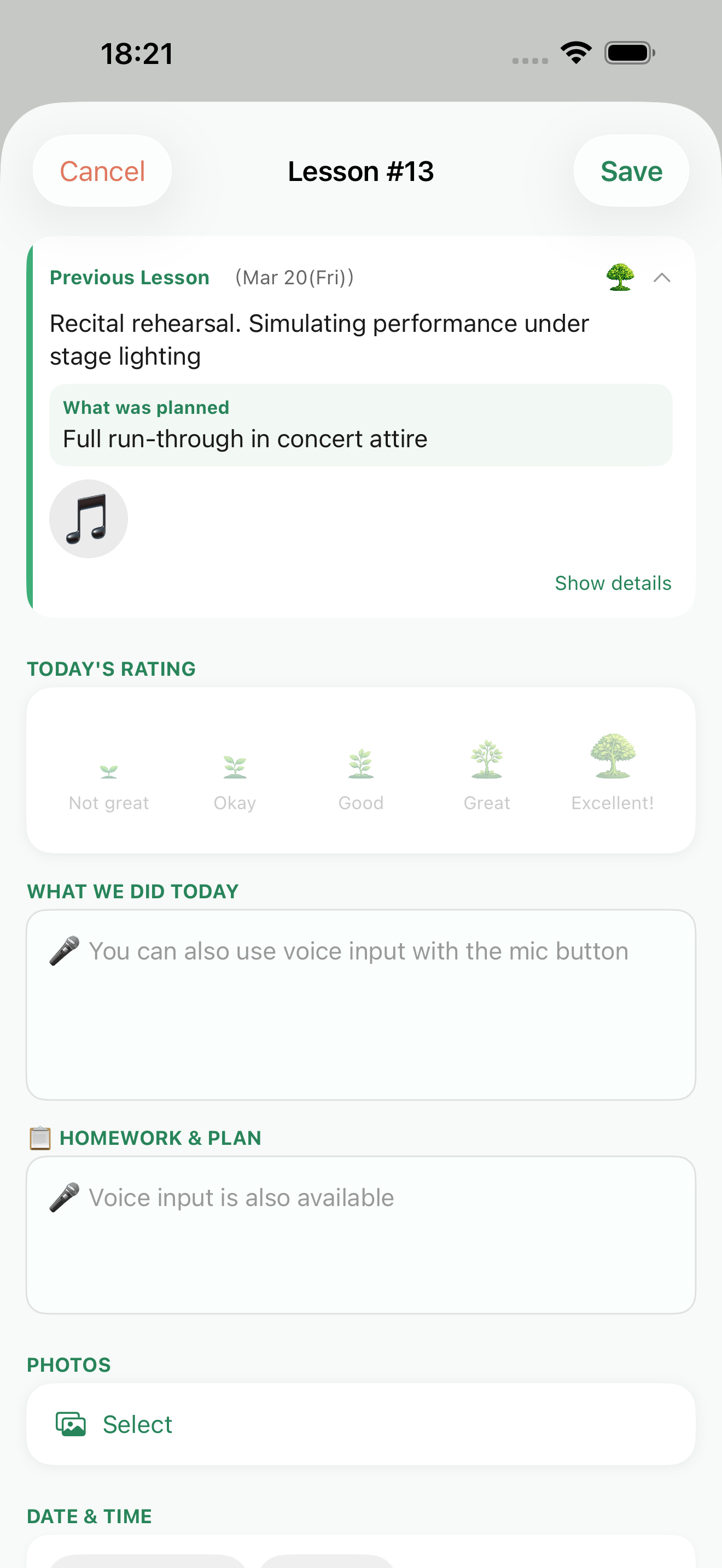
What you covered, the plan for next time, a quick rating. It all lives on one screen, so you'll keep it up even when you're tired. No polished prose required — a few words your future self will understand is plenty.
02 — Before the next lesson
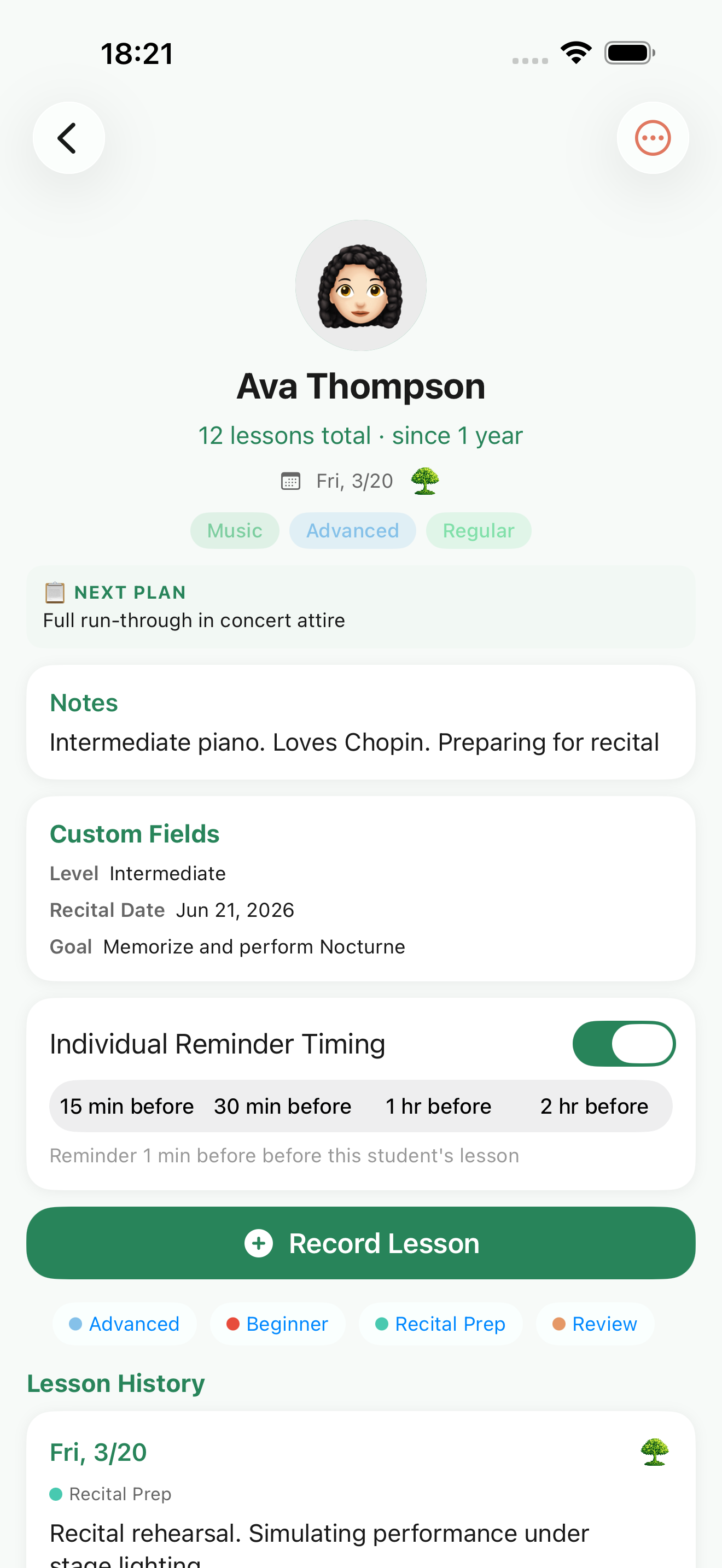
Tap a student's name and their history is right there, in order. “What did we do last week?” is answered before the doorbell even rings. And a reminder makes sure you never forget to check.
03 — QUIET BY DESIGN
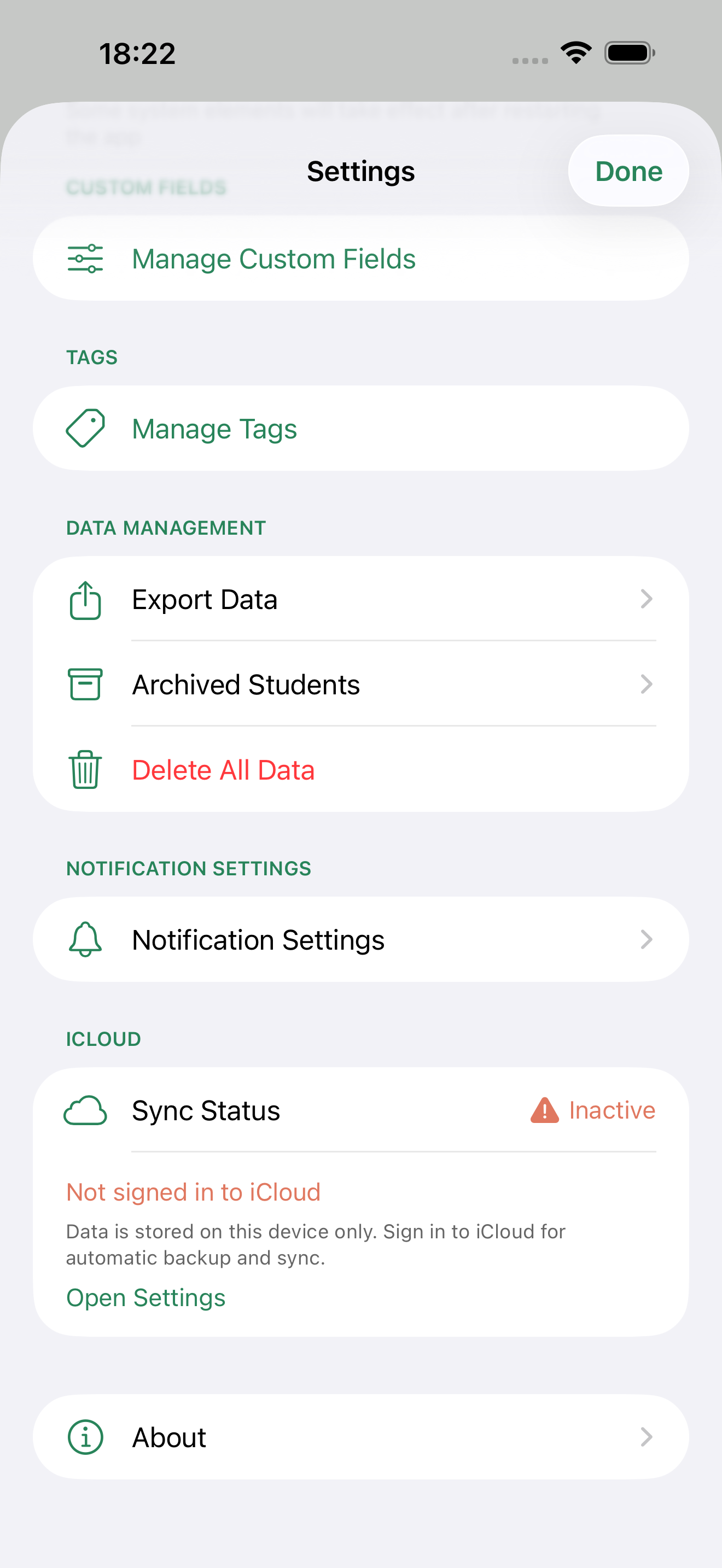
Student names and lesson notes alike are stored only on your device and in your own iCloud. There's no account on LessonTree's side, and nothing is ever sent to a third party.
A student's growth
Sakura, age 10 · piano (sample data)
Apr 8 · Trial lesson
Starting from where the notes live. Right hand only, “Mary Had a Little Lamb.” It took ten minutes for the nerves to melt away at the piano.
Next: left-hand C–G–E–G
Apr 22
First try at both hands together. The tempo falls apart, but she's having the most fun of anyone in the room.
Next: metronome ♩=80
May 20
On to the first eight bars of “Für Elise.” Photographed the score with the fingering penciled in.
2 photos
Jun 17
First run-through from start to finish. Introduced the pedal. “I want to play in the recital,” she said, all on her own.
Next: pick the recital piece
Jul 12 · Recital
A flawless run, start to finish. Afterward we looked back at the April notes together and laughed.
The more the notes add up,
the more you become “the teacher who remembers.”
New in 1.1 — For parents
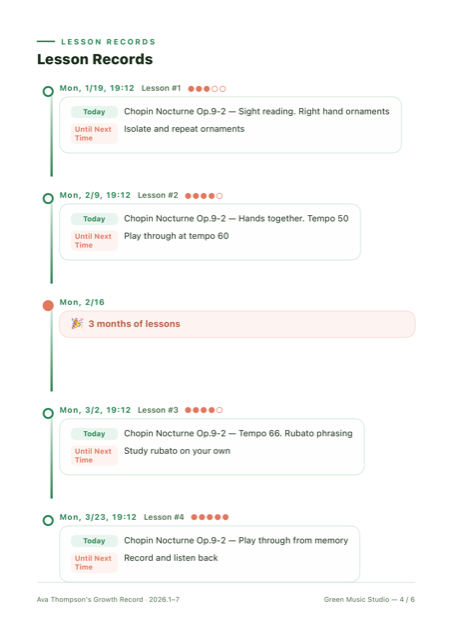
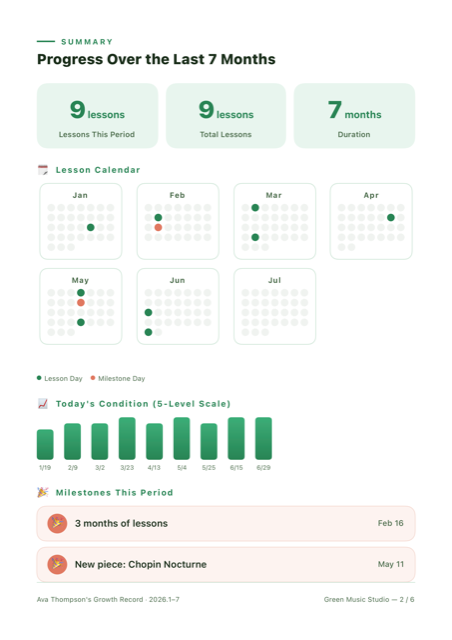
Your daily lesson log becomes a report you can hand to parents. Attendance calendar, mood trends, milestones, and a personal message from you — auto-laid-out into a polished PDF.
Use Cases
Pricing
Go Pro when your roster grows.
¥0
¥400 / mo
¥4,000/year (2 months free). Cancel anytime, and all your data stays after you cancel. Billed via the App Store; prices shown in your local currency at checkout.
Try ProFAQ
Yes. Up to 5 students and 2 of each custom field are free, with full access to lesson logging, photos, reminders, iCloud sync, and export. Unlimited students and custom fields, plus growth reports (PDF) for parents, are part of Pro (¥400/month or ¥4,000/year).
No. Your data is stored only on your device and in your own iCloud — there is no separate LessonTree account.
iPhone and iPad (iOS 17 or later). With iCloud sync, your data stays shared across your devices.
It is automatically synced and backed up to iCloud. You can also export your data in CSV or JSON format.
It is ideal for anyone who teaches one-on-one — music, languages, calligraphy, art, programming, coaching, and more.
Your data is stored only on your device and in iCloud. Nothing is sent to third-party servers, and there are no ad or tracking SDKs.
LessonTree is designed and optimized for one-on-one private lessons. It does not include group-lesson features such as bulk attendance tracking.
The first leaf is today's 30 seconds.
Grow trust with your students, like a tree.